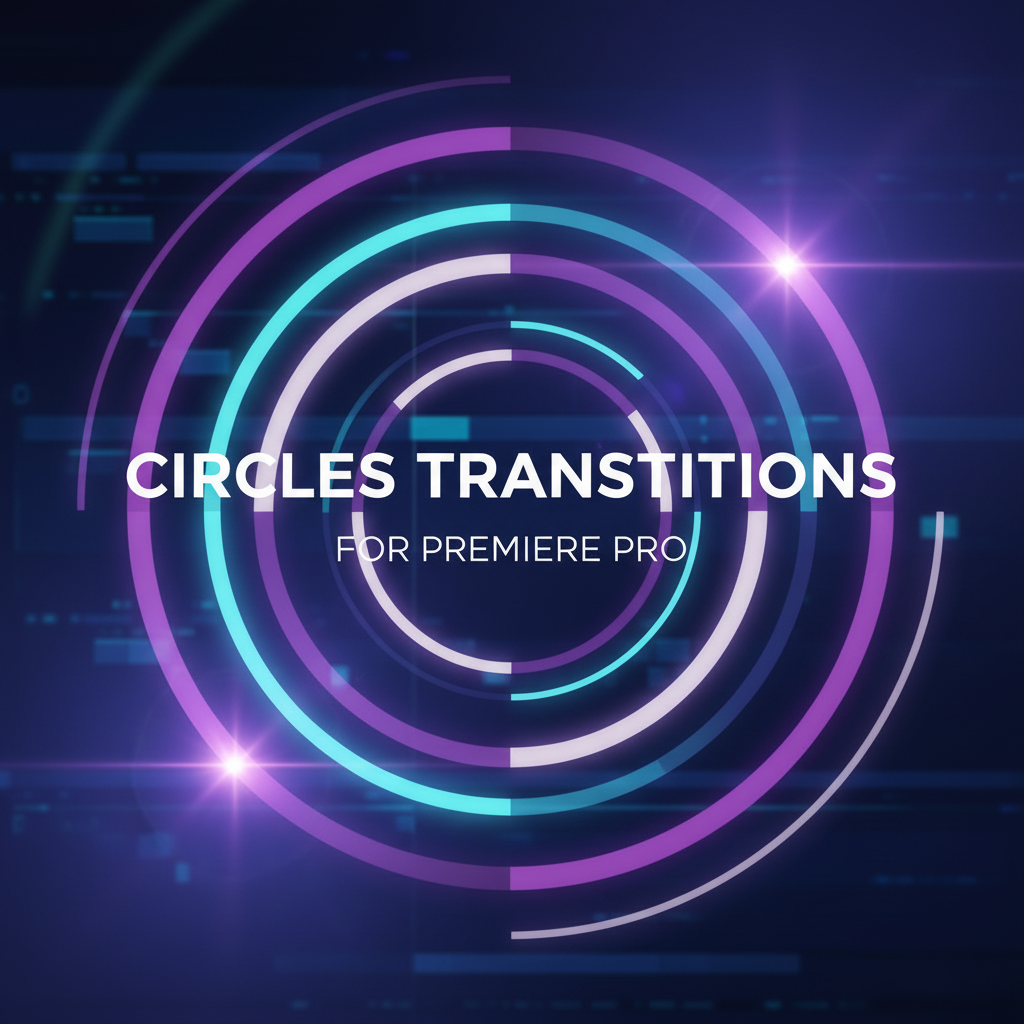
Circles Transitions for Premiere Pro
9,99 €
Circles transitions for Premiere Pro are smooth, modern motion transitions built around clean circular movement and radial wipes. Designed to create visually balanced and professional scene changes, these transitions guide the viewer’s eye naturally from one clip to the next without harsh cuts or distracting effects.
Perfect for corporate videos, YouTube content, slideshows, and social media edits, circles transitions add polish and flow while keeping the focus on your footage. Their rounded motion works especially well with both video and photos, making them highly versatile across different project types.
Easy to use and optimized for Premiere Pro, these transitions integrate seamlessly into any editing workflow, helping editors achieve elegant results quickly and consistently.
Circles Transitions for Premiere Pro – Smooth, Modern & Visually Balanced Motion
Circles transitions for Premiere Pro are professionally designed motion transitions built around circular movement, radial wipes, and rounded animations that create clean, modern, and visually pleasing scene changes. These transitions are designed to guide the viewer’s eye naturally across the frame, producing a sense of flow, balance, and continuity that feels intentional and polished.
Unlike aggressive glitch or fast-cut transitions, circles transitions focus on harmony and structure. The circular motion feels organic and controlled, making these transitions suitable for a wide range of video styles—from corporate presentations and brand videos to YouTube content, social media reels, and cinematic storytelling.
What Are Circles Transitions for Premiere Pro?
Circles transitions for Premiere Pro are transition presets or project-based animations that use circular shapes, masks, or radial motion to move from one clip to another. The transition typically expands, contracts, rotates, or wipes in a circular form, creating a smooth and elegant visual bridge between scenes.
Common styles included in circles transitions:
-
Expanding or shrinking circle reveals
-
Radial wipe transitions
-
Circular zoom motion
-
Rounded mask animations
-
Center-out or edge-in circular movement
These transitions work directly inside Adobe Premiere Pro and integrate seamlessly into standard editing workflows.
Why Use Circles Transitions for Premiere Pro?
One of the main reasons editors choose circles transitions for Premiere Pro is their versatility. Circular motion feels natural to the human eye and avoids the harshness of sharp angles or abrupt cuts. This makes these transitions ideal when you want your edit to feel smooth, modern, and professional without drawing unnecessary attention to the transition itself.
Key advantages include:
-
Clean and modern aesthetic
-
Smooth visual flow between scenes
-
Works well with both video and photo content
-
Suitable for professional and creative projects
Because of their balanced design, circles transitions can be reused across multiple projects without feeling repetitive or outdated.
Creative Use Cases for Circles Transitions
Circles transitions for Premiere Pro adapt easily to many types of content:
🎬 Brand & Corporate Videos
Circular motion reinforces structure and clarity, making these transitions perfect for presentations, company videos, and brand storytelling.
📺 YouTube & Social Media Content
Use circles transitions to maintain viewer attention while keeping edits smooth and easy to watch.
📸 Slideshows & Photo Montages
The rounded movement works especially well with still images, helping bring photos to life without overwhelming them.
🎥 Cinematic & Lifestyle Videos
When paired with music and pacing, circular transitions add elegance and rhythm to cinematic edits.
Visual Style and Motion Design
The defining characteristic of circles transitions for Premiere Pro is their visual balance. Circles naturally draw attention to the center of the frame and create a sense of completeness. This makes transitions feel cohesive rather than disruptive.
Design elements typically include:
-
Smooth easing curves
-
Consistent motion timing
-
Clean edges and rounded shapes
-
Minimal visual noise
This design approach ensures that transitions enhance the footage instead of competing with it.
Performance and Workflow in Premiere Pro
All circles transitions for Premiere Pro are designed to fit directly into real-world editing workflows. They are easy to apply, quick to preview, and simple to customize.
Editors can:
-
Adjust transition duration
-
Align transitions with music beats
-
Use them across different resolutions
-
Apply them consistently across projects
Because the transitions are optimized for Premiere Pro, they maintain smooth playback and reliable performance on most modern systems.
Who Should Use Circles Transitions for Premiere Pro?
These transitions are ideal for:
-
Video editors
-
Content creators
-
Social media managers
-
Marketing agencies
-
Freelancers
-
Educators and presenters
If your goal is to create videos that feel polished, modern, and visually balanced, circles transitions for Premiere Pro are an essential addition to your editing toolkit.
Final Thoughts
Circles transitions for Premiere Pro offer a timeless and professional solution for scene changes that feel smooth, modern, and intentional. Their circular motion creates natural visual flow, making them suitable for almost any type of project—from corporate videos to creative storytelling.
By combining simplicity, elegance, and versatility, these transitions help elevate your edits without complicating your workflow. Whether you’re building a brand video, editing social content, or creating cinematic sequences, circles transitions provide a clean and reliable way to connect scenes beautifully.
Related products
-
Adobe Premiere Pro & After Effects
1500 Handy Transitions For Premiere Pro
Original price was: 24,99 €.14,99 €Current price is: 14,99 €. Add to basket -
Adobe Creative Cloud
100+ Lower Thirds (Adobe Premiere)
Original price was: 12,99 €.6,99 €Current price is: 6,99 €. Add to basket