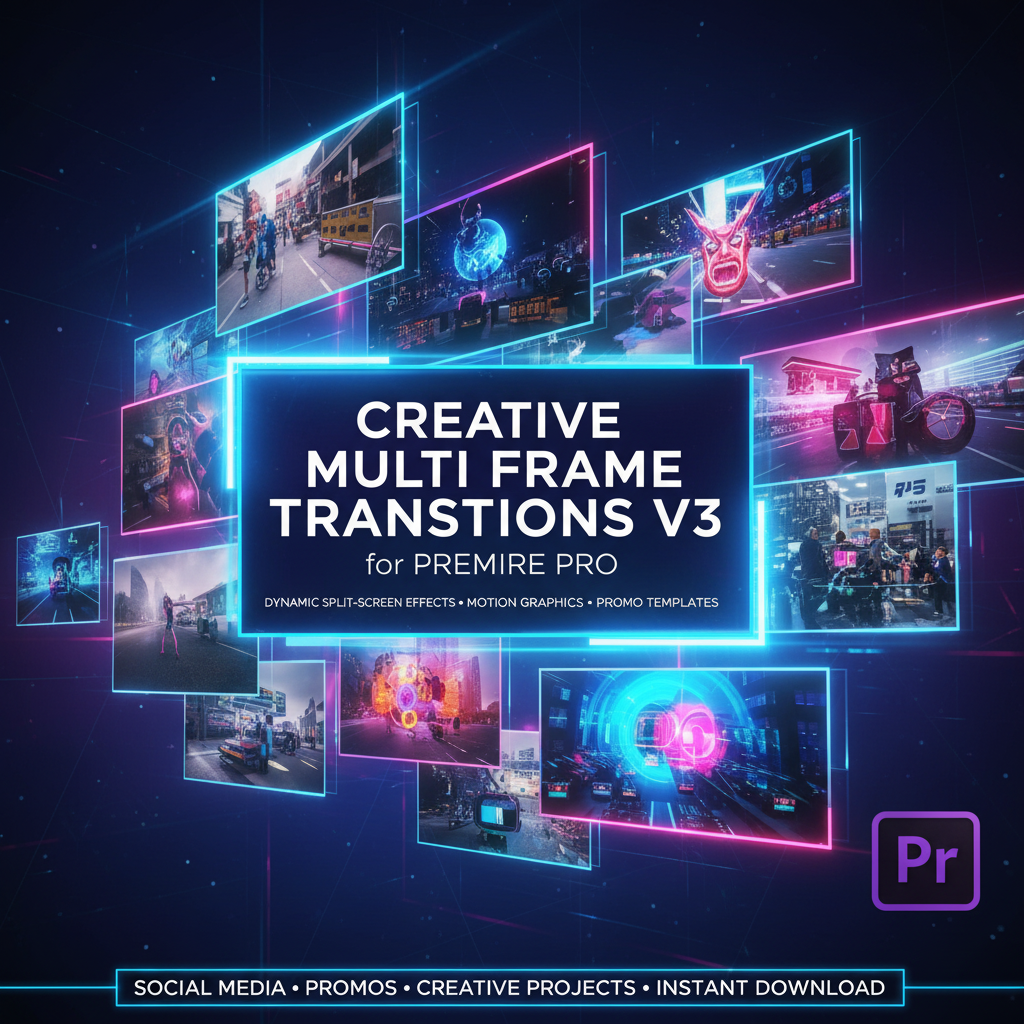
Creative Multi Frame Transitions v3
9,99 €
Creative Multi Frame Transitions v3 is a modern collection of split-screen transitions for Premiere Pro, featuring dynamic multi-panel motion that adds energy and visual rhythm to your edits. Perfect for social media, promos, and creative video projects.
Creative Multi Frame Transitions v3
Advanced Split-Screen Motion Transitions for Premiere Pro
Creative Multi Frame Transitions v3 is a refined and expanded collection of modern transition effects designed to bring dynamic split-screen motion into your video edits. This pack focuses on multi-frame compositions where footage is divided into multiple sections that animate independently, creating visually striking transitions that feel professional, energetic, and contemporary.
Version 3 builds on the core concept of multi-frame motion by delivering smoother animations, improved timing, and a wider variety of layouts. These transitions are ideal for editors who want to elevate their projects beyond basic cuts and standard wipes, while maintaining clarity and storytelling flow.
What Are Multi Frame Transitions?
Multi frame transitions work by splitting the screen into two or more panels that move, slide, scale, or rearrange during the transition. Instead of a single directional movement, multiple frames interact at once, producing a layered visual effect that adds rhythm and motion to your edit.
This approach is especially effective for:
-
Fast-paced edits
-
Creative storytelling
-
Social media and short-form content
-
Brand-driven visuals that require modern motion
With Creative Multi Frame Transitions v3, each transition is designed to feel intentional, smooth, and visually balanced.
Designed for Modern Editing Styles
Today’s video content demands motion that feels fresh, dynamic, and clean. These transitions are built for modern editing aesthetics, making them perfect for creators who want their content to stand out without appearing chaotic or over-edited.
Ideal use cases include:
-
YouTube videos and intros
-
Instagram Reels and TikTok edits
-
Promotional and marketing content
-
Music videos and lifestyle edits
-
Tech, fashion, and creative brand videos
Multi frame transitions keep the viewer engaged while guiding attention naturally across the screen.
Optimized for Adobe Premiere Pro
Creative Multi Frame Transitions v3 is fully optimized for Adobe Premiere Pro, ensuring smooth performance and a reliable workflow. The transitions are designed to integrate seamlessly into Premiere Pro timelines and work naturally with common editing techniques.
Editors can quickly apply transitions and adjust their duration to match the pacing of their footage. Whether working on short social clips or longer video projects, these transitions remain flexible and easy to manage.
Easy to Apply, Powerful Results
Despite their advanced appearance, the transitions in this pack are designed for efficiency and ease of use. No complex animation knowledge is required to achieve professional results.
Key benefits:
-
Quick application inside Premiere Pro
-
Adjustable timing and pacing
-
Clean motion paths
-
Consistent visual quality
This makes the pack suitable for beginners looking to improve their edits as well as professionals working under tight deadlines.
Clean Visual Design With Strong Impact
Multi frame transitions add complexity without clutter. Each transition maintains a clean structure, allowing the footage to remain the focal point while the motion enhances the storytelling.
These transitions are especially effective for:
-
Switching between different scenes or perspectives
-
Emphasizing changes in mood or tempo
-
Creating visual rhythm in fast-cut sequences
-
Enhancing energy in montages and promos
The result is a smooth, visually engaging transition that feels modern and intentional.
Consistent Style Across Projects
Using a dedicated multi frame transition pack helps maintain a cohesive look across all your videos. This consistency is valuable for content creators, agencies, and brands that produce recurring content and need a recognizable visual style.
With Creative Multi Frame Transitions v3, you can:
-
Speed up your editing workflow
-
Maintain a professional visual identity
-
Deliver consistent quality across multiple projects
-
Scale production efficiently
Works Seamlessly With Other Effects
These transitions are designed to work alongside color grading, titles, overlays, and motion graphics. They can be layered with other effects without visual conflict, giving editors full creative freedom.
Whether used on their own or combined with typography and graphics, the transitions enhance the overall polish of your project.
Who This Pack Is For
-
Video editors using Adobe Premiere Pro
-
Content creators producing modern, fast-paced videos
-
Brands and agencies seeking clean motion transitions
-
Editors looking to upgrade from basic transitions
This pack is suitable for all skill levels and a wide range of creative projects.
Why Choose Creative Multi Frame Transitions v3
-
Advanced split-screen and multi-panel transitions
-
Smooth, modern animation style
-
Optimized for Adobe Premiere Pro
-
Easy to use and customizable
-
Ideal for contemporary video content
Creative Multi Frame Transitions v3 gives you the tools to transform simple cuts into dynamic visual moments, adding energy, clarity, and professionalism to every edit.
Related products
-
Adobe Premiere Pro Assets
10+ Brush Transitions – Artistic Paint-Style Transitions for Creative Video Editing
Original price was: 9,99 €.6,99 €Current price is: 6,99 €. Add to basket -
Adobe Premiere Pro & After Effects
100+ Video transitions
Original price was: 15,99 €.9,99 €Current price is: 9,99 €. Add to basket -
Adobe Premiere Pro Assets
2000+ Premiere Effects Presets with Simple Install (NewBlue TotalFX5)
Original price was: 16,99 €.11,99 €Current price is: 11,99 €. Add to basket